Beta · launching NovemberA real player for Plex, on Mac and Apple TV
A beautiful player at warp speed.
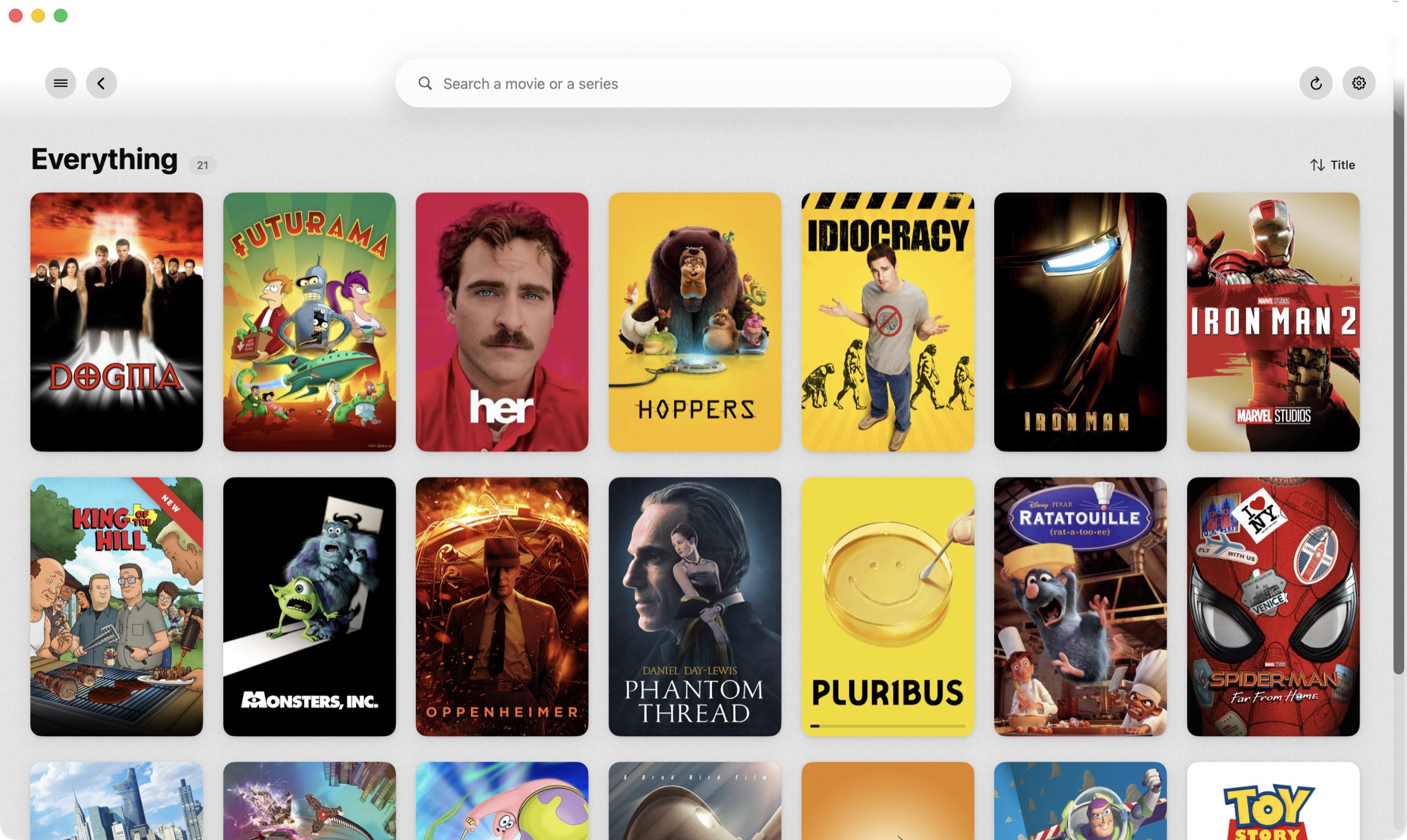
Backlot puts your whole Plex library on screen in half a second and jumps anywhere in a film without a spinner, with a poster wall that tilts to your cursor and title pages worth opening. On your Mac and your Apple TV.
Free during the beta$9.99 once at the November launchLocal files or PlexmacOS Sonoma 14.0 or later
Warp speed
Your library, at warp speed.
A simple player built to be fast. Backlot asks your server for the original file and plays it directly. Nothing to transcode, nothing to wait for, so the library opens in half a second and every jump lands the moment you press the key.
Real-time · unedited
0.5 sfrom launch to your whole library on screen
79 minskipped in 30 seconds, one minute at a time
0spinners. It plays the original file, so there’s no transcode to wait for
Signed & notarised by AppleRead-only on your filesNo account neededPlays MKV, HEVC & DTS natively
Everything you own, one library away
Movies, shows, specials, extras and the ones you're still hunting for, from a folder on this Mac or straight from your Plex server, organised, matched and playable in one place.
Search as you typeEvery letter narrows the whole library, instantly.A page for every titleBackdrop, cast, files on disk and more like this.Posters that answer the cursorEach card lifts and tilts toward you, up to nine degrees.
Built for the way you actually watch
From the poster wall to the last frame of the credits.
Library & Browsing
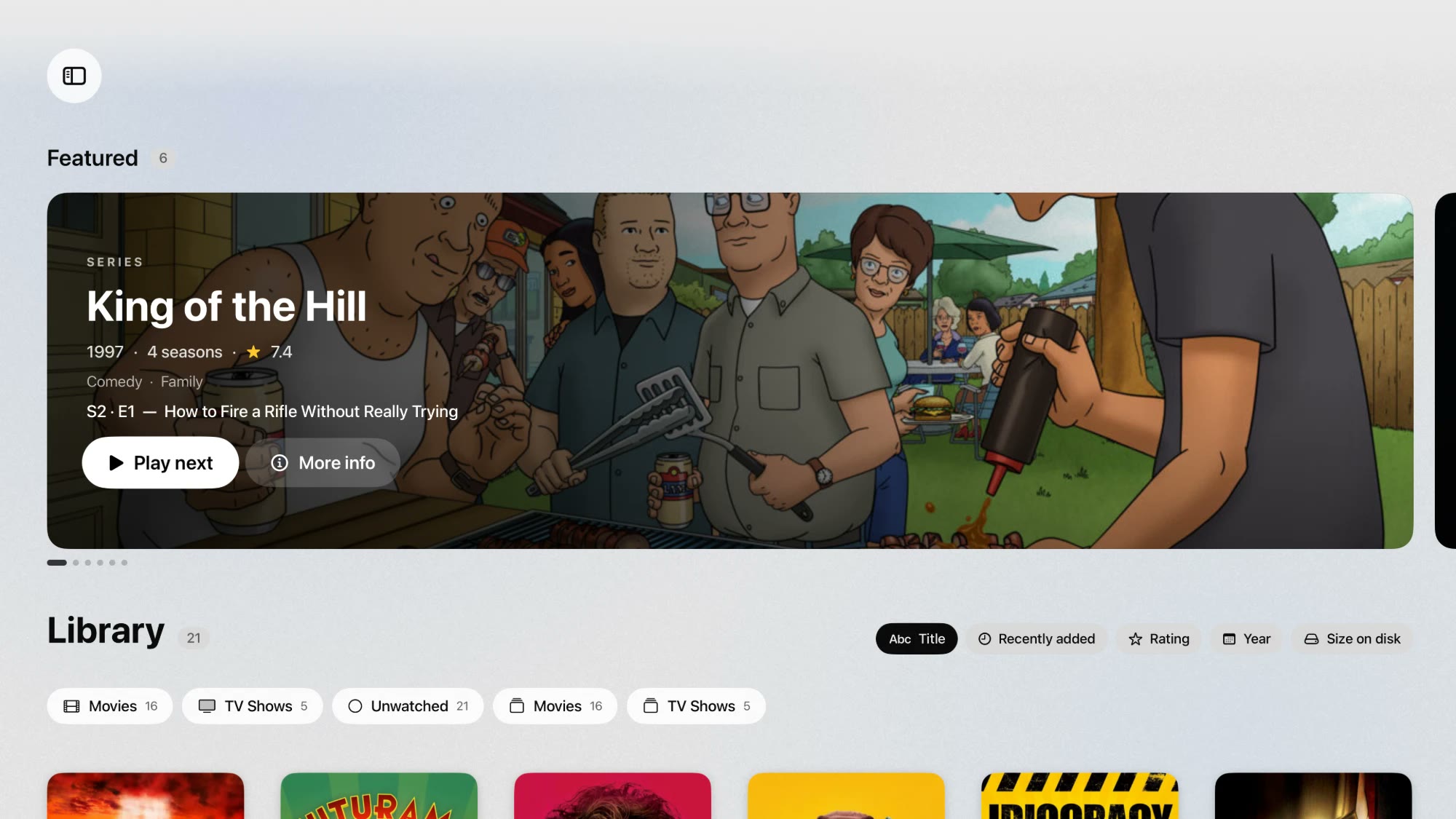
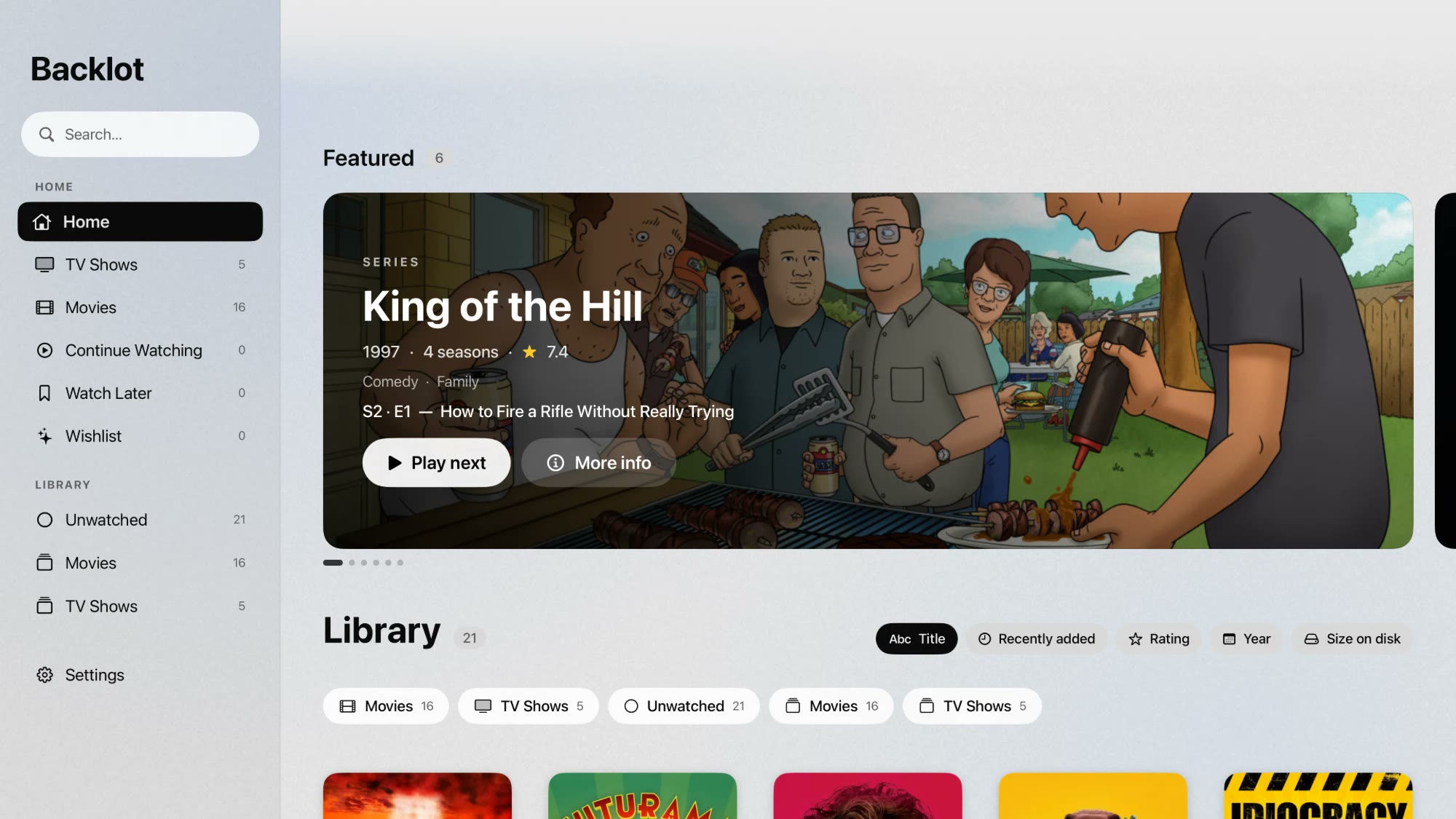
Home is rails by genre. Click any heading for the full grid, open the sidebar to jump to a category, sort it however you like, and every title suggests others from your own library by shared genre.
Includes: Genre rails, Full grid, Sidebar, Sort by title · added · rating · year · size, More like this, Search, 3D poster tilt.
★ 9.5
★ 8.6
★ 8.1
★ 7.9
Everything218
Movies164
TV Shows54
Title · Recently added · Rating · Year · Size
Playback
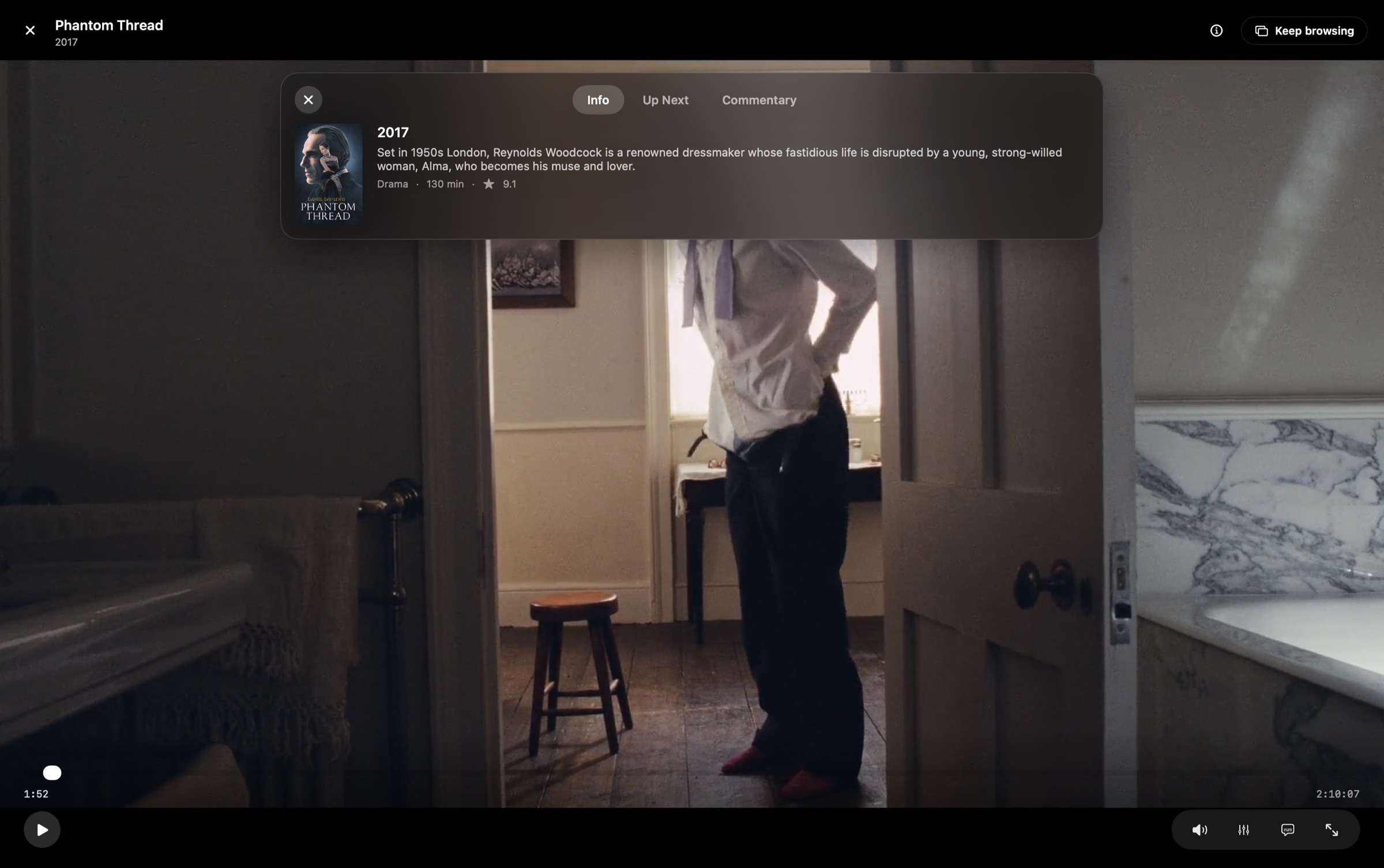
One bundled mpv engine plays everything in-window (Matroska, HEVC, AC3, DTS) with hardware decoding and instant back-seeks from its cache. Play opens full screen; "Keep browsing" drops it into a floating window without losing your place.
Includes: mpv + FFmpeg, VideoToolbox, Exact resume, Mini player, Info panel, Up Next, Commentary tab, Keyboard shortcuts.
←→skip 10 seconds
⇧←→skip a minute
SpaceKplay & pause
FMfull screen, mute
▶
Keep browsing · always on top
MP4 · MOVdirect play
MKV · AVI · HEVCdirect play
AC3 · DTSdirect play
Plex, done properly
Sign in with Plex in your browser: no password, no token to copy. Backlot finds your servers, prefers the fastest connection on your network, and direct-plays the original file so the server only has to serve bytes.
Includes: plex.tv sign-in, Server picker, Direct play, Server-side resume, Watchlist, Special features, Transcode fallback.
Local filesno account
Plex serversign in
Switch at any time. Each keeps its own library.
Continue watchingFuturamaS4 · E5 · Leela's Homeworld · left off at 12:47
▶ Resume
Metadata & Matching
It reads the mess you actually have (release junk, season folders, anime numbering, multi-part specials) and matches it against TVmaze and Cinemeta with no account. Wrong match? Pick the right one by hand and it sticks through every rescan.
breaking.bad.s02e04.1080p.bluray.x264-GROUP.mkv→Breaking Bad S2 · E4
[SubsPlease] Attack on Titan - 12 [1080p].mkv→Attack on Titan E12
Spider-Man.Into.the.Spider-Verse.2018.mkv→Into the Spider-Verse 2018
Search a movie or a series
Monsters, Inc.2001
Monsters University2013
Season 29 / 13 on disk
Organise it your way
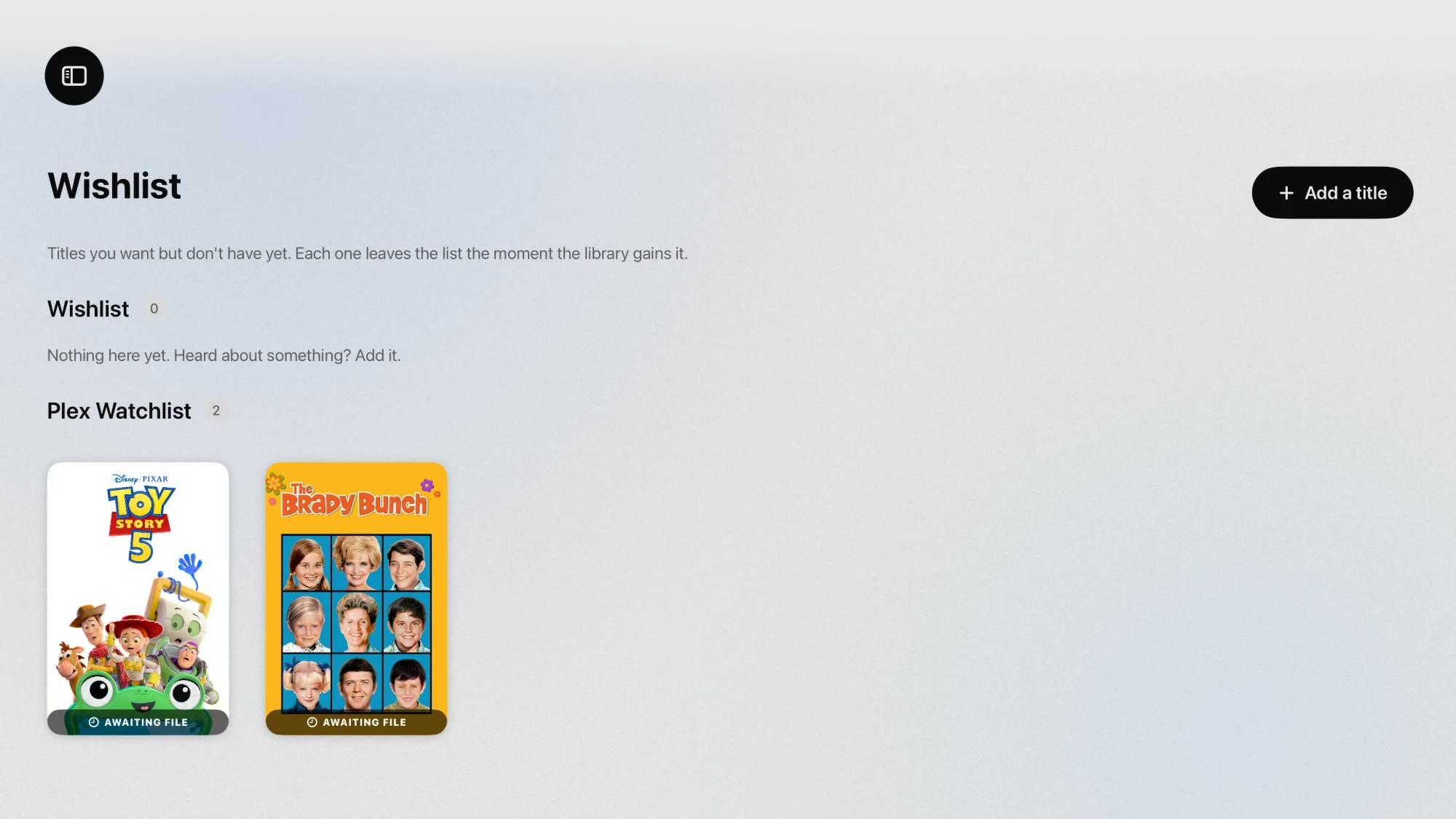
Invent any label, colour it, browse by it. Save a shortlist and it wears an orange sash on the poster. Swap any poster for your own image. Add a film you don't have yet to the Wishlist and it leaves on its own the moment your library gains it.
Includes: Tags in eight colours, Watch Later sash, NEW ribbon, Custom posters, Wishlist, Plex watchlist.
Watch LaterNew to your libraryWishlist
● Rewatch12
● Friday night6
● Show Dad3
Wishlistawaiting file
Toy Story 5watchlist
Leaves on its own once it's in your library.
Your files stay yours
Strictly read-only. Backlot reads directory listings and file sizes, and writes nothing back. It never renames, moves, converts or deletes anything. All the organising lives in its own database, and only artwork is ever downloaded.
Backlot for Apple TV signs in with the plex.tv/link code from your phone and puts the whole server on the big screen, with rails, title pages and Up Next, through the same mpv engine as the Mac.
tvOS 17.5+Apple TV 4KSign in with a code
The sidebar, one swipe leftYour wishlist and Plex watchlist
Pause on the Mac, finish on the couchResume points, watched marks and the wishlist follow you between the Mac and the TV.
Built for the remoteFocus, swipes and a press-and-hold info panel. Nothing borrowed from a mouse.
$5, onceBacklot for Apple TV is in TestFlight beta now and arrives on the App Store for $5.
Get Backlot for your Mac
The beta is free for everyone, no key, no account. At the November launch, Plex streaming becomes a one-time $9.99; local folders stay free forever.
Backlot is in beta and free for everyone until the November launch; the Mac licence then becomes a one-time purchase inside the app, through our payment partner Paddle. Found a bug? Use Help ▸ Report a Bug in the app, or email thomas@lostnfoundmedia.com. 14-day refunds, no questions asked. Your library, tags and watch history are never affected by licensing. Backlot is not affiliated with, endorsed by or sponsored by Plex, Inc.
What's new
Backlot 3.3.3 · 31 October 2026 · beta
Sign your ticket
Write any name on your ticket in marker, red, yellow, green or white, and change it whenever. Friends who use your code get a Guest stamp with your name on it.
Your ticket
Every Mac tears the next numbered ticket off the roll on first open. Yours carries the Beta Tester stamp for good. Find it under Library ▸ Your Ticket or at the top of Settings, in light or dark.
Bring a friend
Share your invite code. A friend who enters it gets a Guest stamp with your name on it, and their name lands on your ticket. Bring three and it flips over to show them all.
Report a bug
Help ▸ Report a Bug opens an email with your version and Mac already filled in. Add what happened and send.
Watch next, after a film
In the last five minutes of a movie, three suggestions from your library appear as little tiles on Mac and Apple TV, picked by genre, era and rating.
Stays awake, answers the media keys
The display no longer dims mid-film, and the play/pause key, AirPods taps and the Now Playing menu-bar item drive the player.
Playing Next
Thirty seconds before the end a pill counts down and the next episode starts on its own, on Mac and Apple TV. Turn autoplay off in Settings ▸ Playback if you'd rather be asked.
Captions when you rewind
Jump back 10 seconds to 2 minutes and captions come on until you're past where you were, then go off again.
Apple TV on a tube
Settings ▸ Display squeezes the picture from 16:9 to 4:3 for a CRT and switches to standard-definition NTSC colour. The engine log and build details moved to a Dev tools page.
Works offline
Your Plex library, artwork and watch history live on this Mac, so browsing never needs the server. Add folders with copies of your files in Settings ▸ Offline and those titles play from the drive; an Available Offline rail leads the home page whenever the server is away.
Faster scrolling
Posters are warmed at launch and read ahead as you scroll, and hovering a card loads its page before you click.
backlot, in Terminal
Install it from Settings ▸ Command line: backlot ls, backlot play "Title" S02E04, backlot resume. Playback opens in the app, so your place stays shared.
Crop and aspect
Fit, Fill, Zoom to 4:3 and forced ratios in the player's new crop menu. Press C to cycle, or set a default in Settings ▸ Advanced.
CRT mode
For a Mac on a tube: a 4:3 high-contrast layout, 4:3 video by default, scanlines, and an interlace-safe setting. Tucked under Settings ▸ Advanced.
Open in Plex, IINA, VLC or any app
Choose an external player in Settings ▸ Playback; every card gains an "Open in…" item, and Plex titles open straight in the Plex app.
Frequently Asked Questions
Everything you need to know about Backlot, your library and how it treats your files.
What is Backlot?
A Mac and Apple TV app that turns a folder of movies and shows, or a Plex server, into a library you can browse and play. It's a player and a library browser. It doesn't replace Plex, it makes watching from it much nicer.
Is Backlot a one-time purchase?
Yes. Right now the beta is free for everyone and nothing is locked. At the November launch, Plex streaming on the Mac becomes $9.99 once, paid inside the app after a 7-day trial; local folders stay free forever. Apple TV is $5 once on the App Store. No subscription, no renewal.
Will it rename or move my files?
No. Backlot is read-only. It reads directory listings and file sizes and writes nothing back to your library folder. All the organising happens in the app's own database.
Do I need Plex?
No. Local mode works on its own with no account anywhere. Plex adds streaming of any format from your server, plus its own artwork and episode data.
Does MKV play without VLC or IINA installed?
Yes. macOS itself can't open Matroska, so Backlot bundles the mpv engine and decodes those files itself, with VideoToolbox hardware acceleration. Nothing ever opens in another app.
How do I get the Apple TV app?
It's in TestFlight beta now and arrives on the App Store for $5. It needs an Apple TV 4K on tvOS 17.5 or later and a Plex server.
Does it download anything?
Only artwork and metadata (posters, stills, episode listings), cached locally so relaunches are instant. It never downloads video.
Nothing plays from my Plex server.
Backlot direct-plays from Plex. It asks for the original file and decodes it locally, so the server only has to serve bytes. Check the server is reachable on your network and that you picked the right server in Settings, which also has "Find working stream settings" to probe your server and report what it says.
How do updates work?
Backlot checks on launch and shows an Update to x.y pill in the top-right corner. Click it and the new version downloads, is checked against Backlot's developer signature, swaps itself in and relaunches. You can turn checking off in Settings.
Do I need a TMDB account?
No. The default sources need no account at all. TMDB is there only if you already have a key and prefer its catalogue. This product uses the TMDB API but is not endorsed or certified by TMDB.
What if it matches the wrong title?
Fix it from the title's page or by right-clicking any poster. Backlot only auto-accepts confident matches. Anything uncertain is flagged rather than guessed, and pinned matches survive rescans.
Does it work with an external drive or NAS?
Yes. Point it at any mounted volume. It remembers the folder between launches.
Which macOS versions are supported?
macOS 14 Sonoma or later, on Apple silicon and Intel. The Apple TV app needs an Apple TV 4K on tvOS 17.5 or later.
Is Backlot private?
There's no account, no analytics and no server of ours. The app talks to your Plex server, plex.tv when you sign in, and the metadata services for artwork. Your Plex token is stored in the macOS Keychain and is never shown in error messages or logs.
Continue watchingFuturamaS4 · E5 · Leela's Homeworld · left off at 12:47
 Backlot